The endpoint agent

Scout
TerminalShellEditViewWindowHelp
Cursor
VS Code
Windsurf
Claude
ChatGPT
Copilot
Gemini
Perplexity
Warp
Replit
Bolt
Lovable
Scout
Scout.app
Scout.app
AApplications
Scout installed successfully
Product
Docs
Pricing
Blog
Contact
GitHub
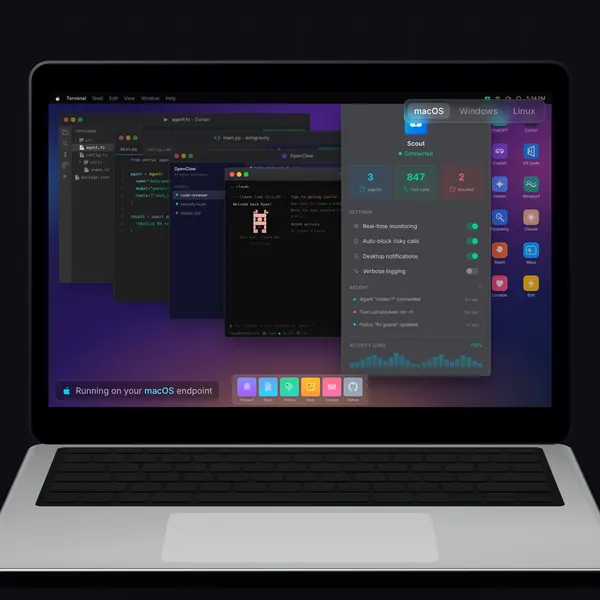
Running on your macOS endpoint

What it sees

Sanctioned or unsanctioned, Scout sees it⁠.

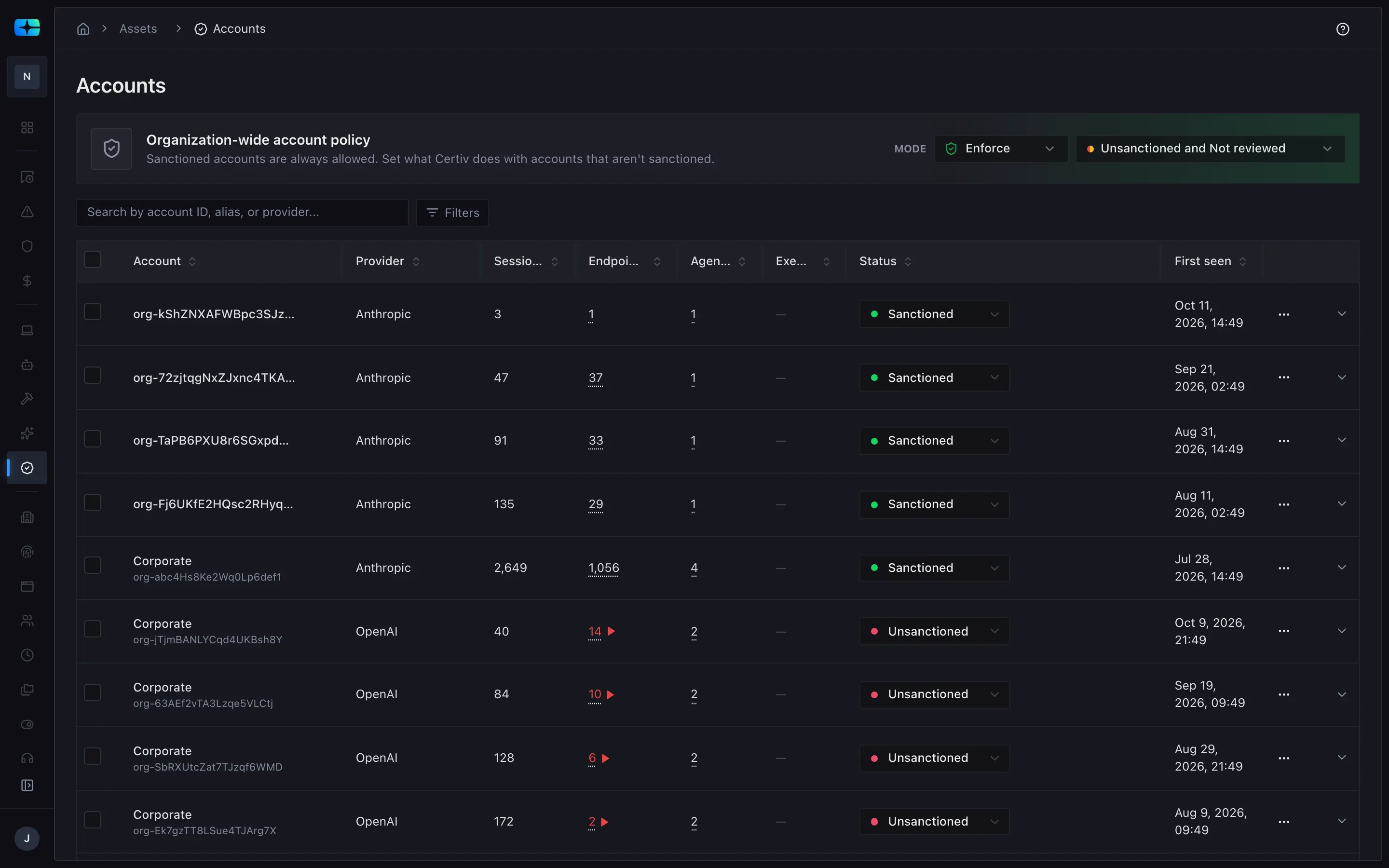
On each endpoint, Scout finds the agents, the models they call, and the accounts they sign in with, and shows which ones nobody sanctioned.
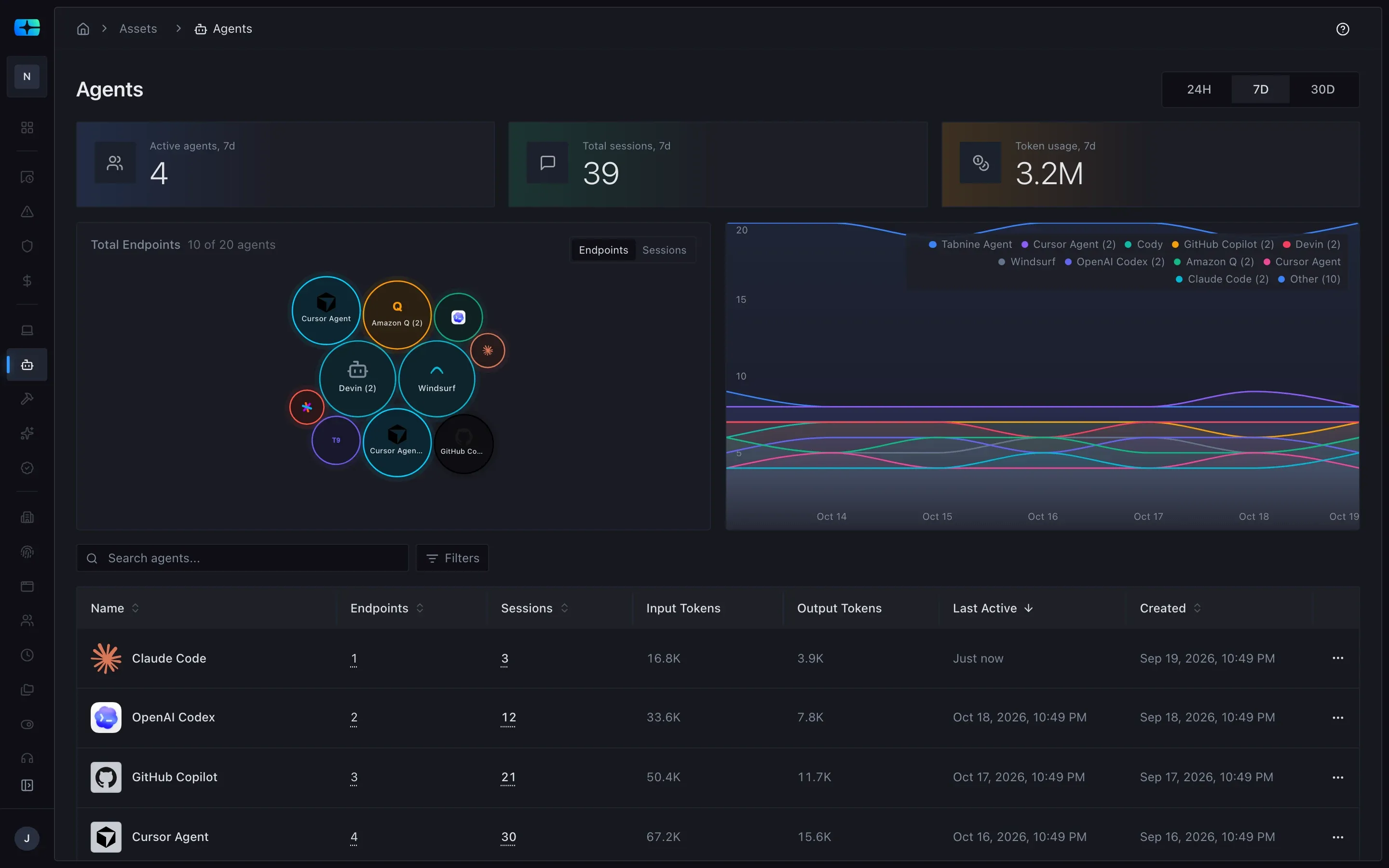
The Agents screen: counts of active agents, sessions, and tokens for 7 days, a chart of endpoints per agent, and a table of agents with endpoints, sessions, tokens, and last active time.
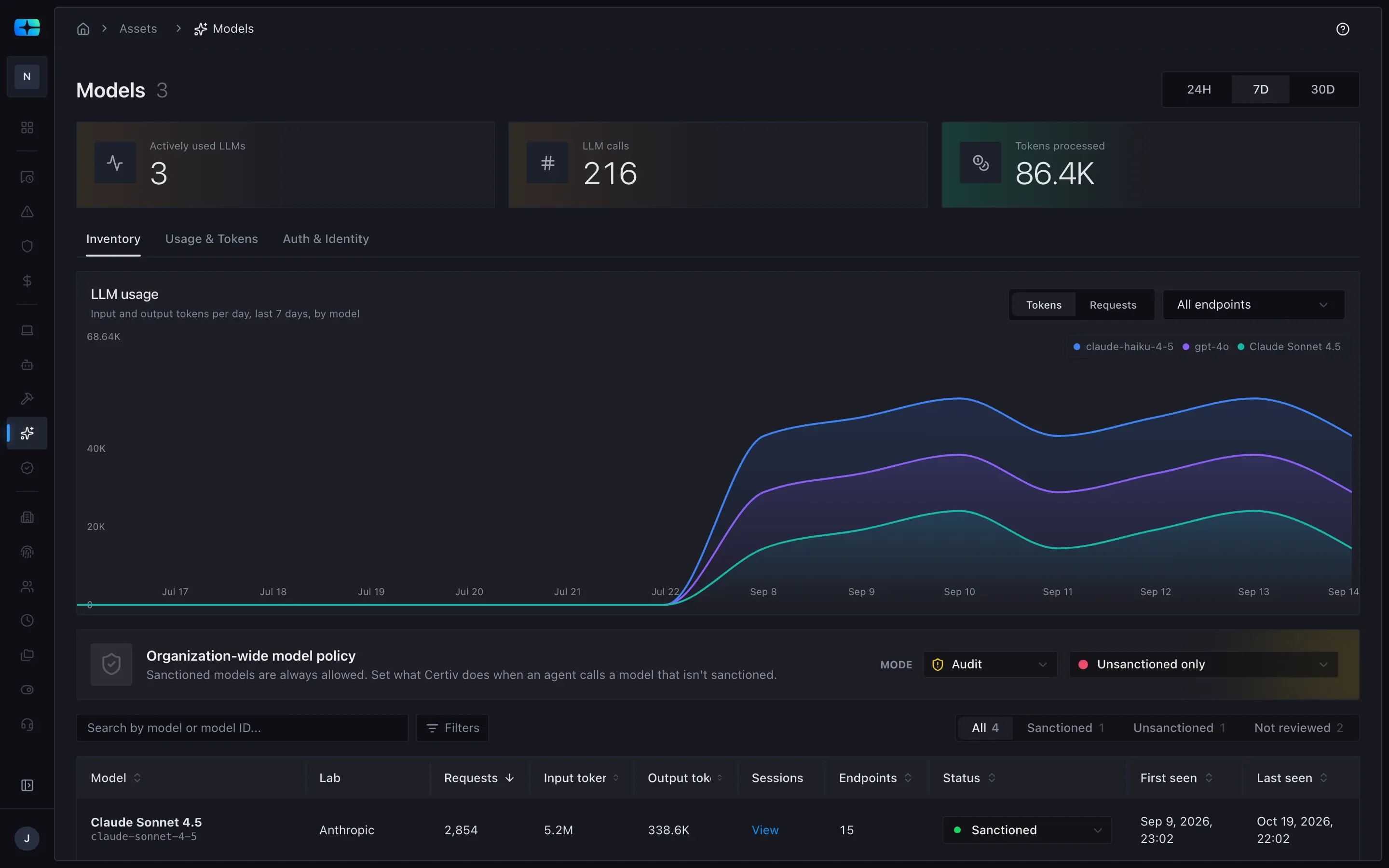
The Models screen: counts of actively used models, model calls, and tokens processed, a chart of token usage by model, the organization-wide model policy, and a table of models with lab, requests, tokens, endpoints, and status.
The Accounts screen: the organization-wide account policy, and a table of provider accounts from Anthropic and OpenAI with sessions, endpoints, agents, and status, sanctioned or unsanctioned.

Accounts. Each provider account agents sign in with, marked sanctioned or unsanctioned, with the sessions, endpoints, and agents that use it.

Agents, not people. Scout observes agent activity. It does not monitor browser history or record keystrokes.

Tamper-proof

Your agents can't switch it off⁠.

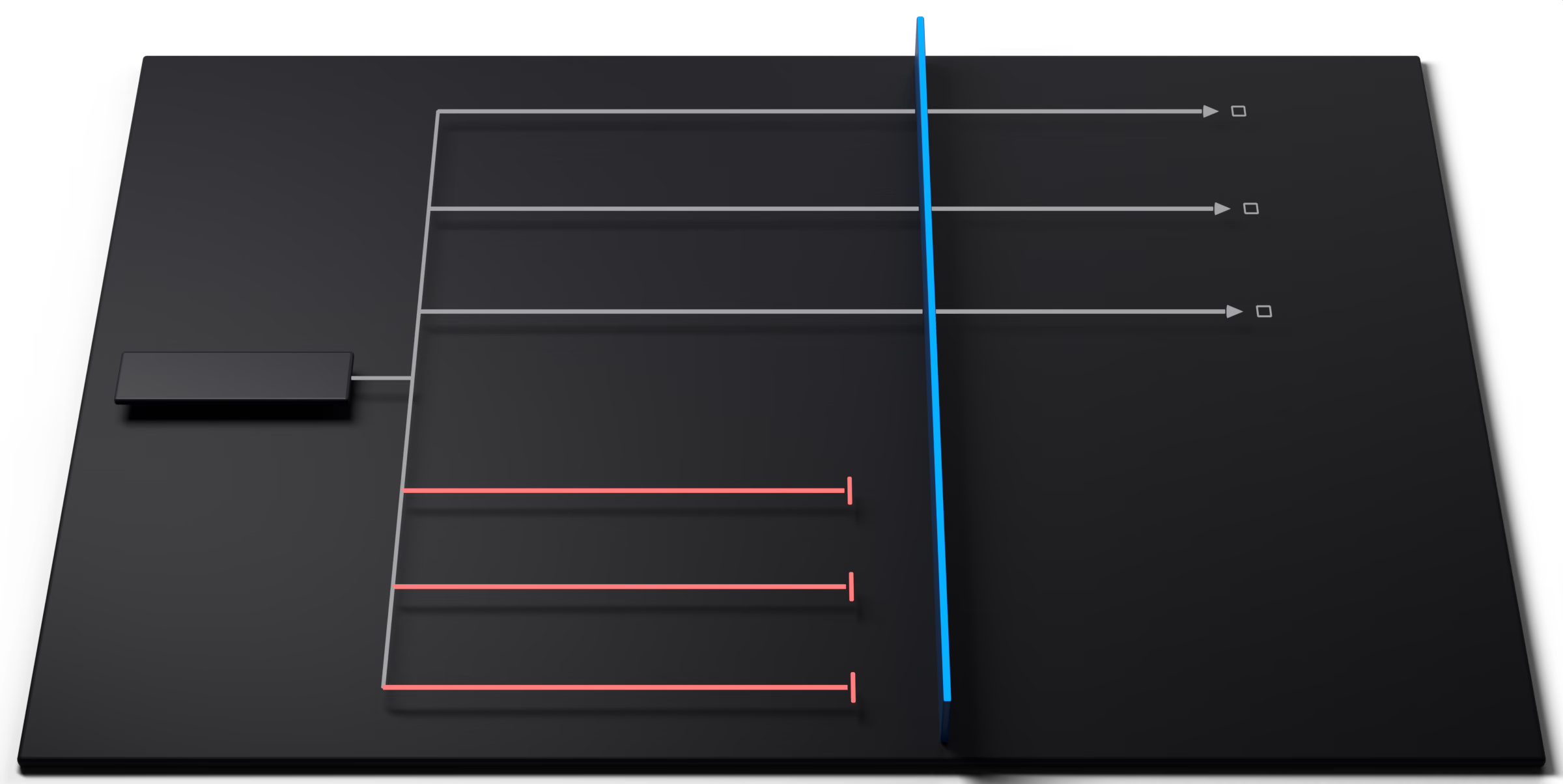
Scout enforces company policy on each agent's process, network, and file activity. The agent can't disable Scout, edit the company's policy, or approve its own steps.

Deployment

Roll out with your MDM⁠, or install directly.

Set up an MDM deployment for Iru, Jamf Pro, or Microsoft Intune, or install Scout directly on macOS, Windows, and Linux.
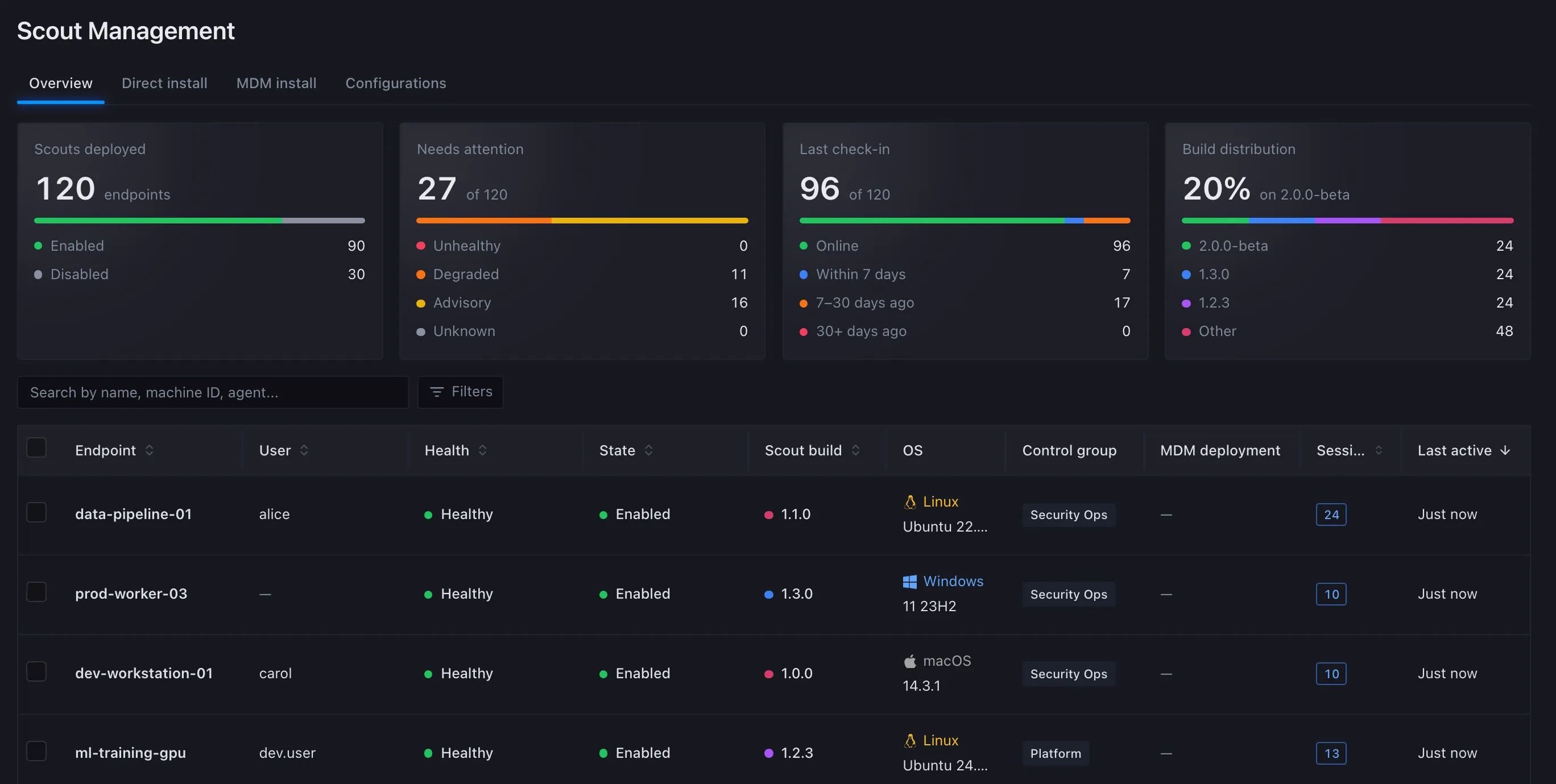
The Scout Management overview: 120 Scouts deployed, 90 enabled; 27 need attention, 11 degraded and 16 advisory; 96 checked in online; build distribution across 2.0.0-beta, 1.3.0, and 1.2.3; above a table of endpoints with health, state, Scout build, OS, and control group.
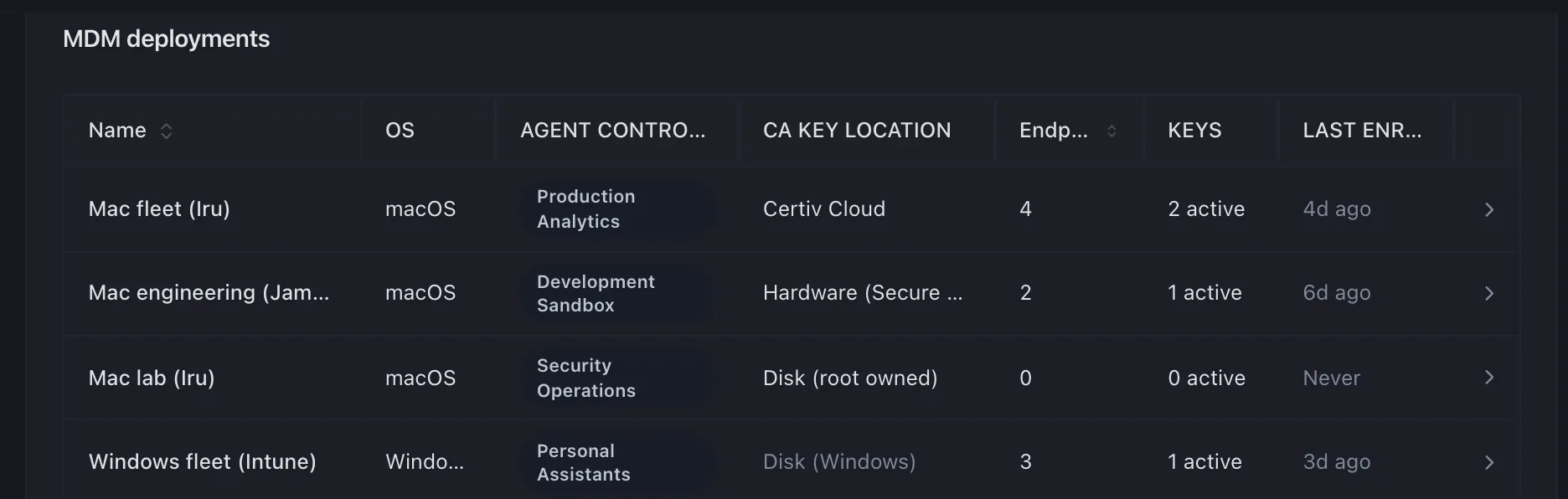
MDM deployments: Mac fleet (Iru), Mac engineering (Jamf Pro), Mac lab (Iru), and Windows fleet (Intune), each with its OS, agent control group, CA key location, endpoints, keys, and last enrolled.
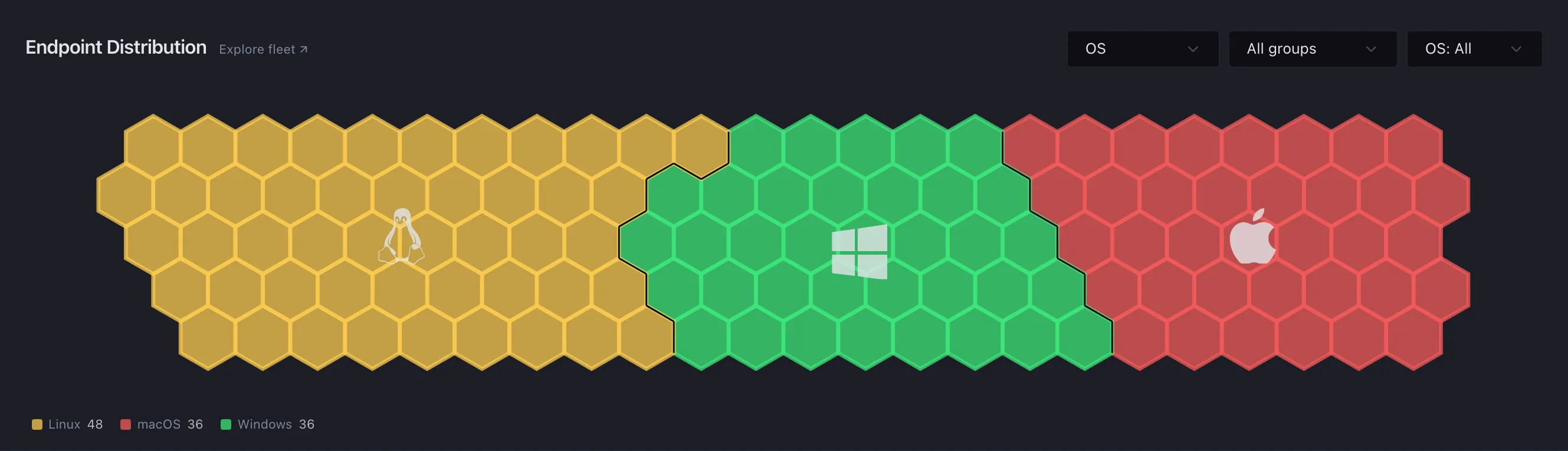
The endpoint map: 120 endpoints by operating system, Linux 48, macOS 36, and Windows 36.

Scout Management, in the Certiv console. The fleet at a glance, the endpoint map by operating system, and one MDM deployment per rollout.

Deploys in minutes
Through the MDM you already run.
No kernel extensions
One reboot finishes the install.
Light footprint
Minimal CPU use on each endpoint.
Fails open by default
If Scout stops, the work on the machine continues.

See it live

See Scout on your own endpoints⁠.

Bring the agents and models your teams already use.

Book a Demo
Straight Answers

What Teams Ask About Scout

Expand to view common questions.

What is Scout?
Scout is Certiv’s endpoint agent. It runs on the laptop alongside tools like CrowdStrike or Jamf, but where those watch the device and the user, Scout watches AI agents, discovering them, observing what tools they call, and capturing the context the Certiv Policy Engine needs to enforce policy before an action executes.
How is Scout different from Certiv?
Scout is what your endpoint team installs. Certiv is what your security and IT organizations buy. Scout is the endpoint agent that captures judgment-level signal at the device; the Certiv Policy Engine is the control plane that decides what is allowed, escalates or blocks what is not, and gives the CISO and CIO visibility and control.
Is Scout another endpoint agent to manage?
It is another endpoint agent, and we do not pretend otherwise. What differs is the operational lift: Scout deploys in minutes through your existing MDM, requires no kernel extensions (though it does need a single reboot), keeps CPU usage minimal with unnoticeable latency, and fails open by default so engineering workflows are never blocked by the tool itself.
Which operating systems does Scout support?
Scout runs on macOS, Windows, and Linux workstations.
Does Scout monitor employees?
No. Scout observes AI agents and agentic activity, not everything a person does on their workstation. It does not monitor browser history, record keystrokes, or indiscriminately inspect documents. If an AI agent is not involved, Certiv is not looking. Privacy Mode goes further: routine, policy-compliant agent work stays private by default, and an authorized user must record a reason to open it.