The Certiv console
See the full agent story.
The Certiv console shows your security team which agents are running, the tools they reach, and what policy decided when an agent acted.
In the console
From every agent to a single decision.
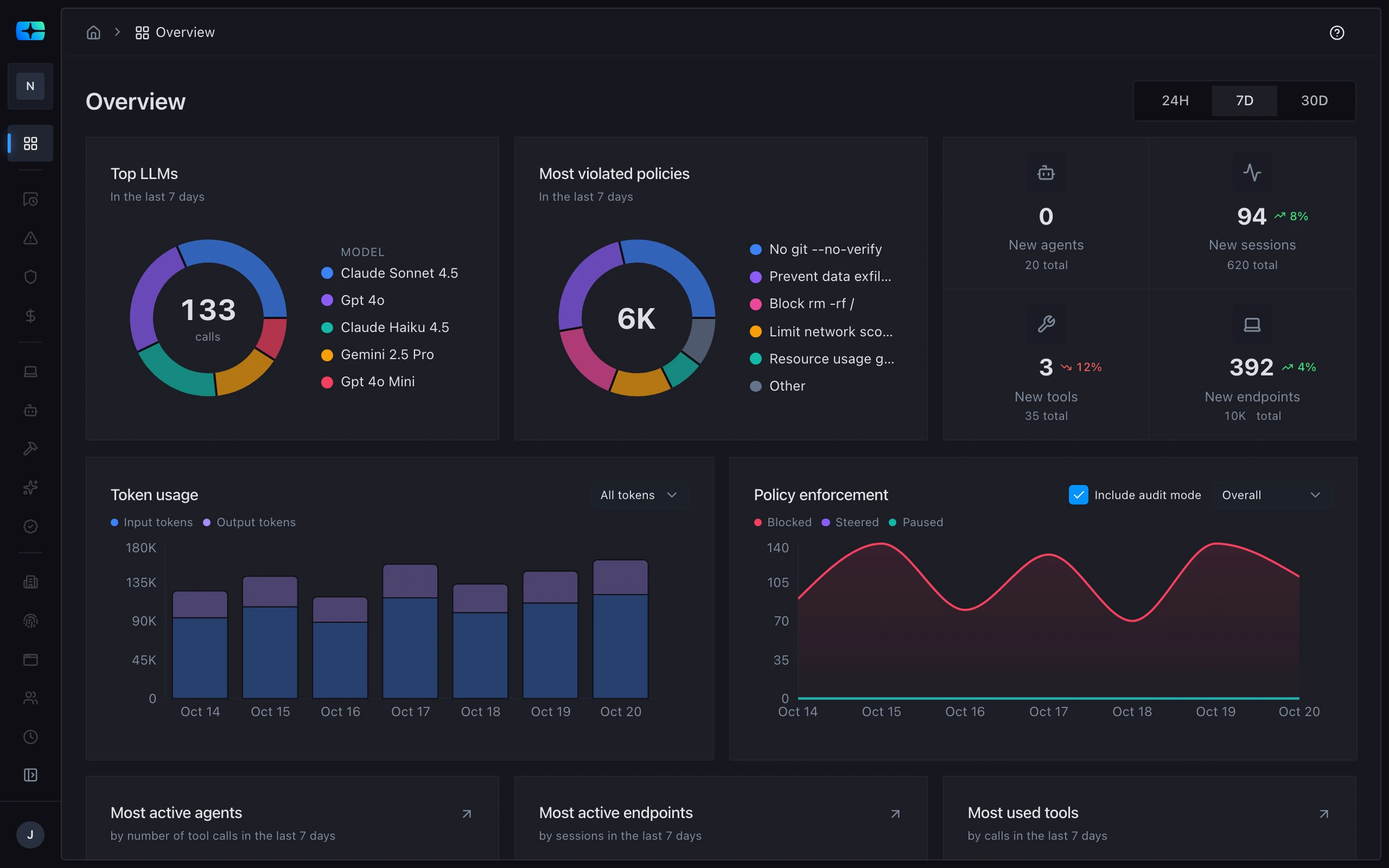
The console starts with the agents in use and the tools they reach, and ends at the policy decision on one action.
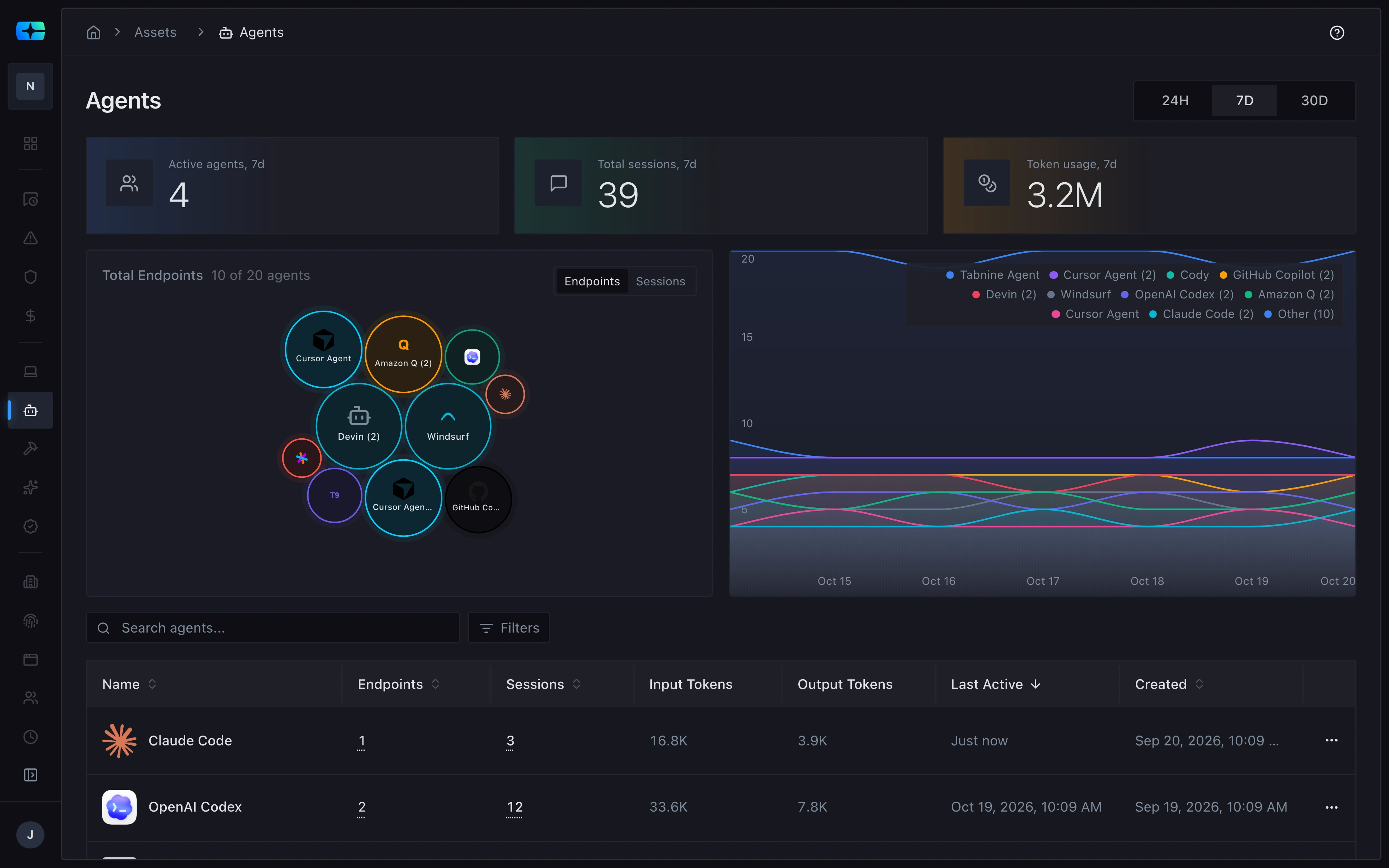
Every agent in use, and where it runs.
Claude Code, OpenAI Codex, and the rest, each with its endpoints, sessions, tokens, and last activity.
Claude Code, OpenAI Codex, and the rest, each with its endpoints and sessions.
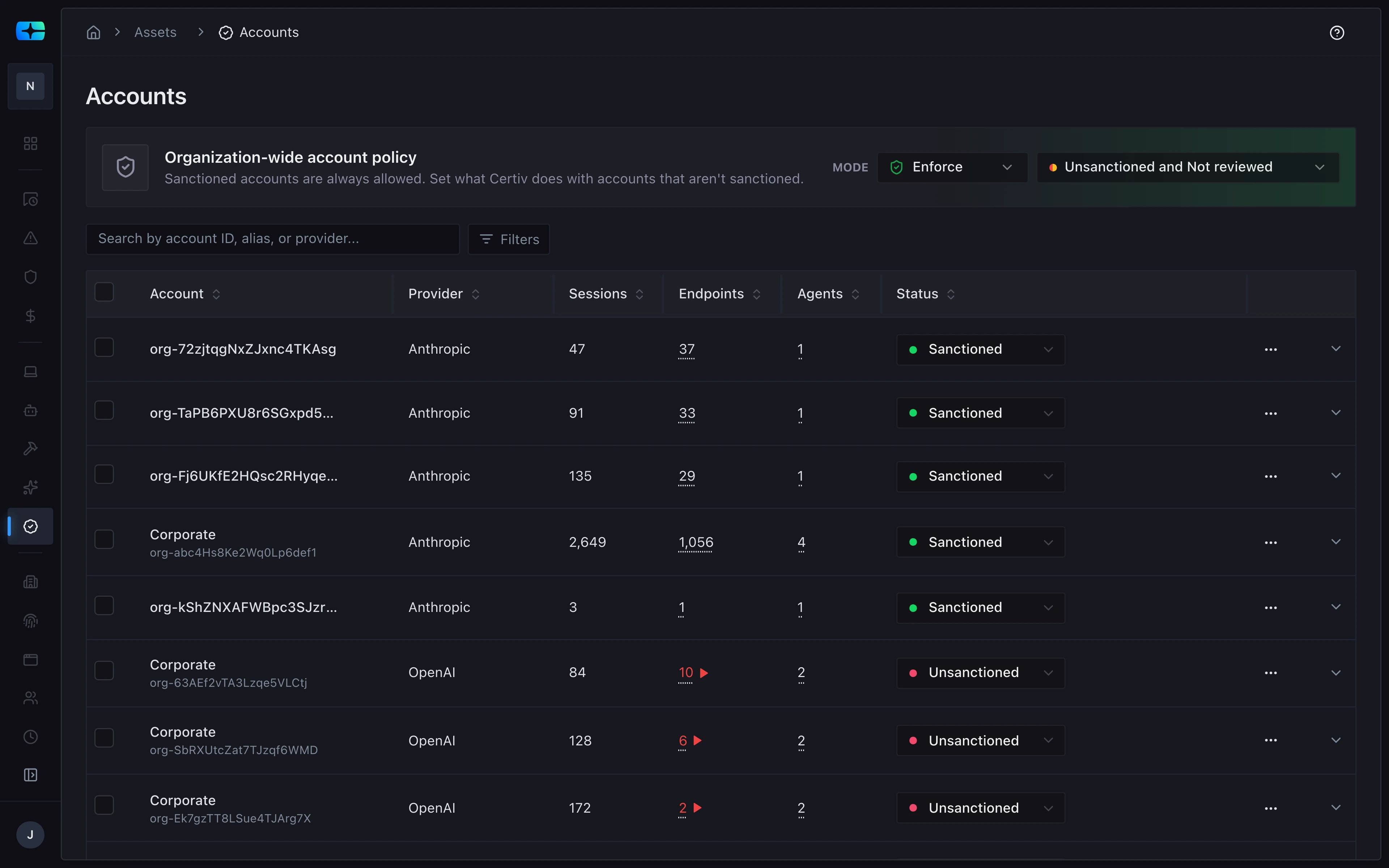
The AI accounts behind them.
Each Anthropic and OpenAI account agents use, marked sanctioned or unsanctioned under one organization-wide account policy, with its sessions.
One organization-wide account policy, in enforce mode, and each account agents use marked sanctioned or unsanctioned.
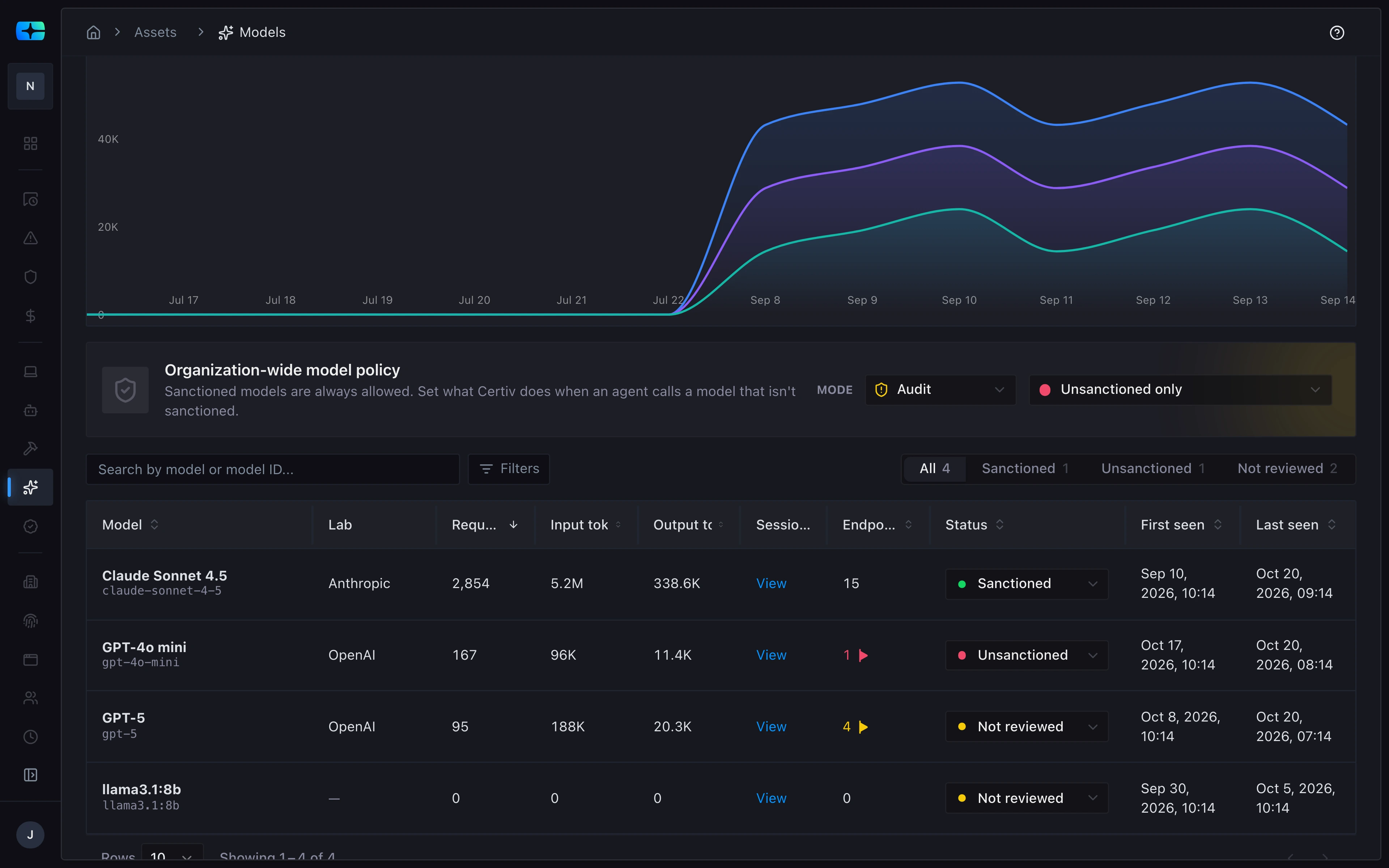
The models they call.
Each model agents call, with its lab, requests, tokens, and status under an organization-wide model policy.
Each model agents call, such as Claude Sonnet 4.5 and GPT-5, with its lab and requests.
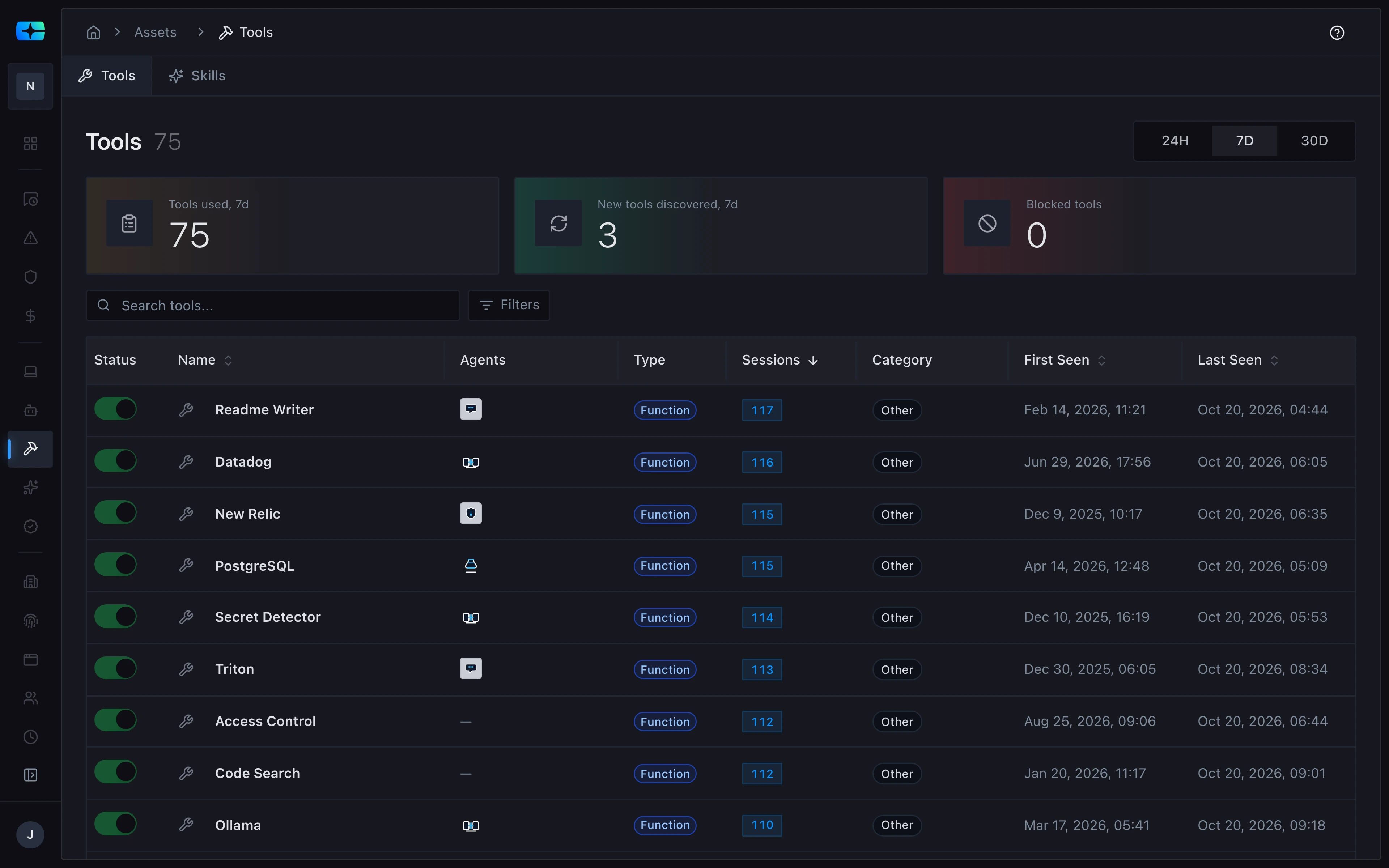
The tools they reach.
Each tool agents used in the last 7 days, such as Datadog, PostgreSQL, and Secret Detector, with the agents that used it and how many sessions it appeared in.
Each tool agents used, such as Datadog, PostgreSQL, and Secret Detector, with the agents that used it.
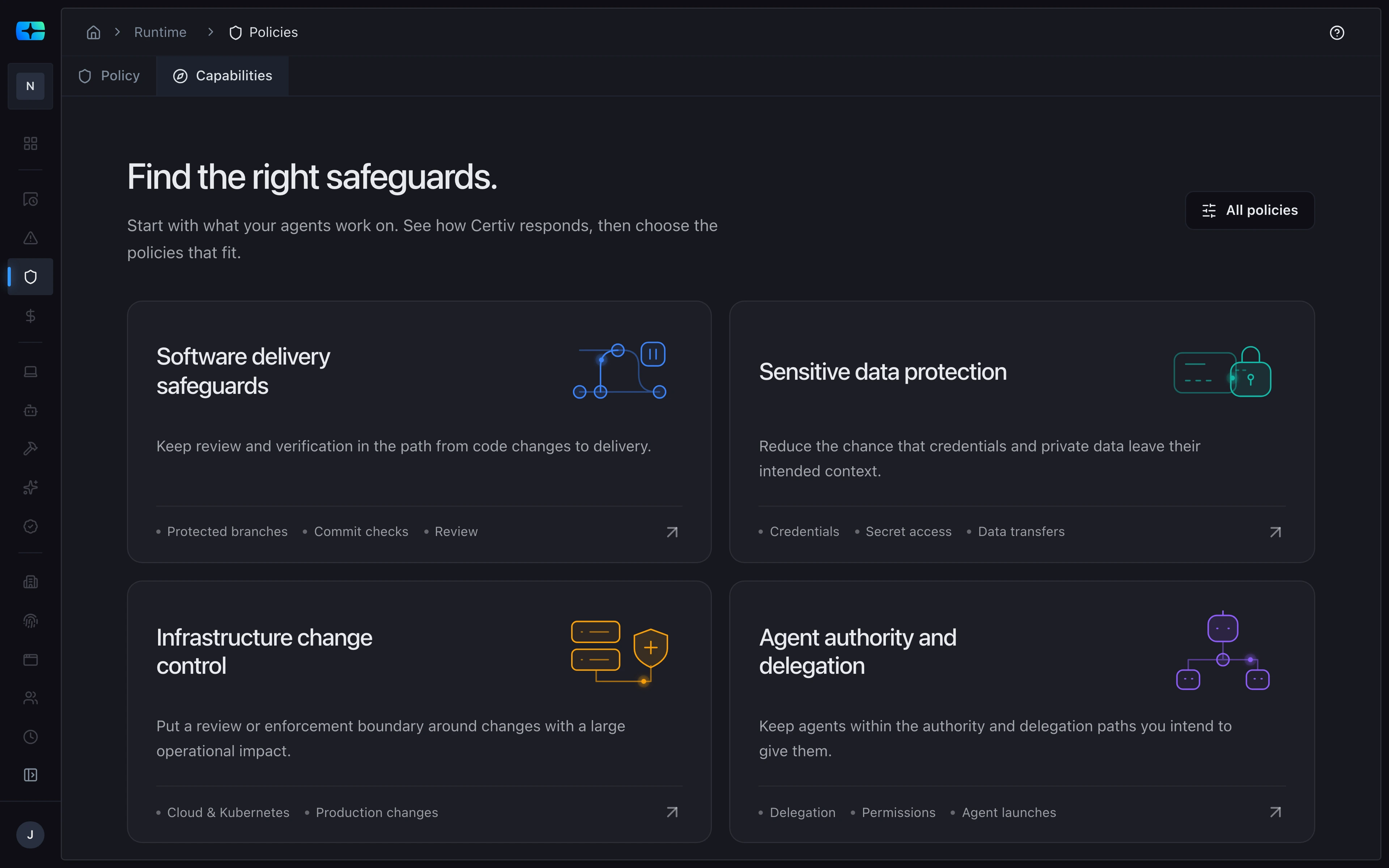
Safeguards for the work agents do.
Policy capabilities grouped by that work, such as software delivery, sensitive data, infrastructure changes, and agent authority and delegation.
Policy capabilities grouped by the work agents do, starting with software delivery safeguards.
What Certiv delivers
One action, start to finish.
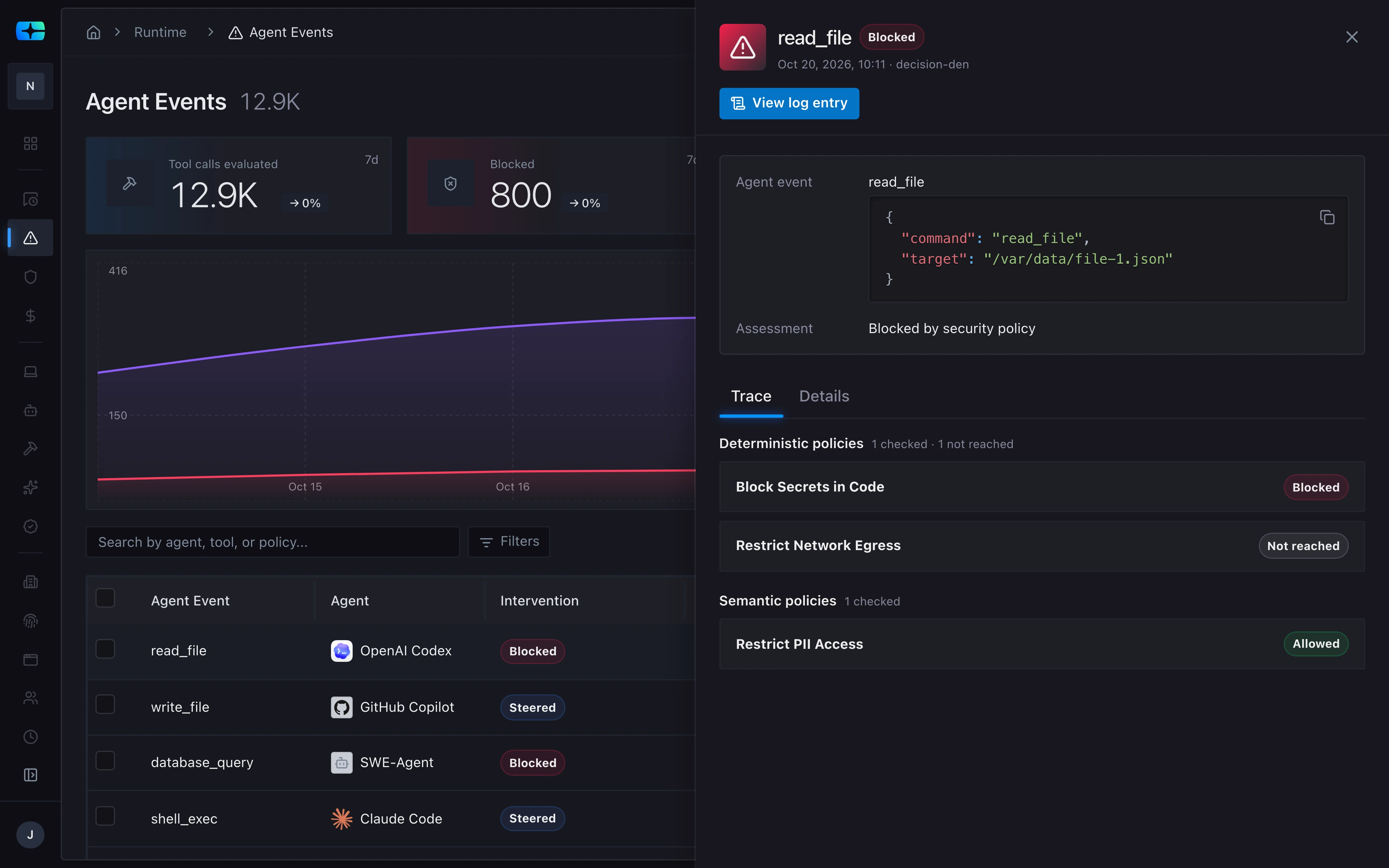
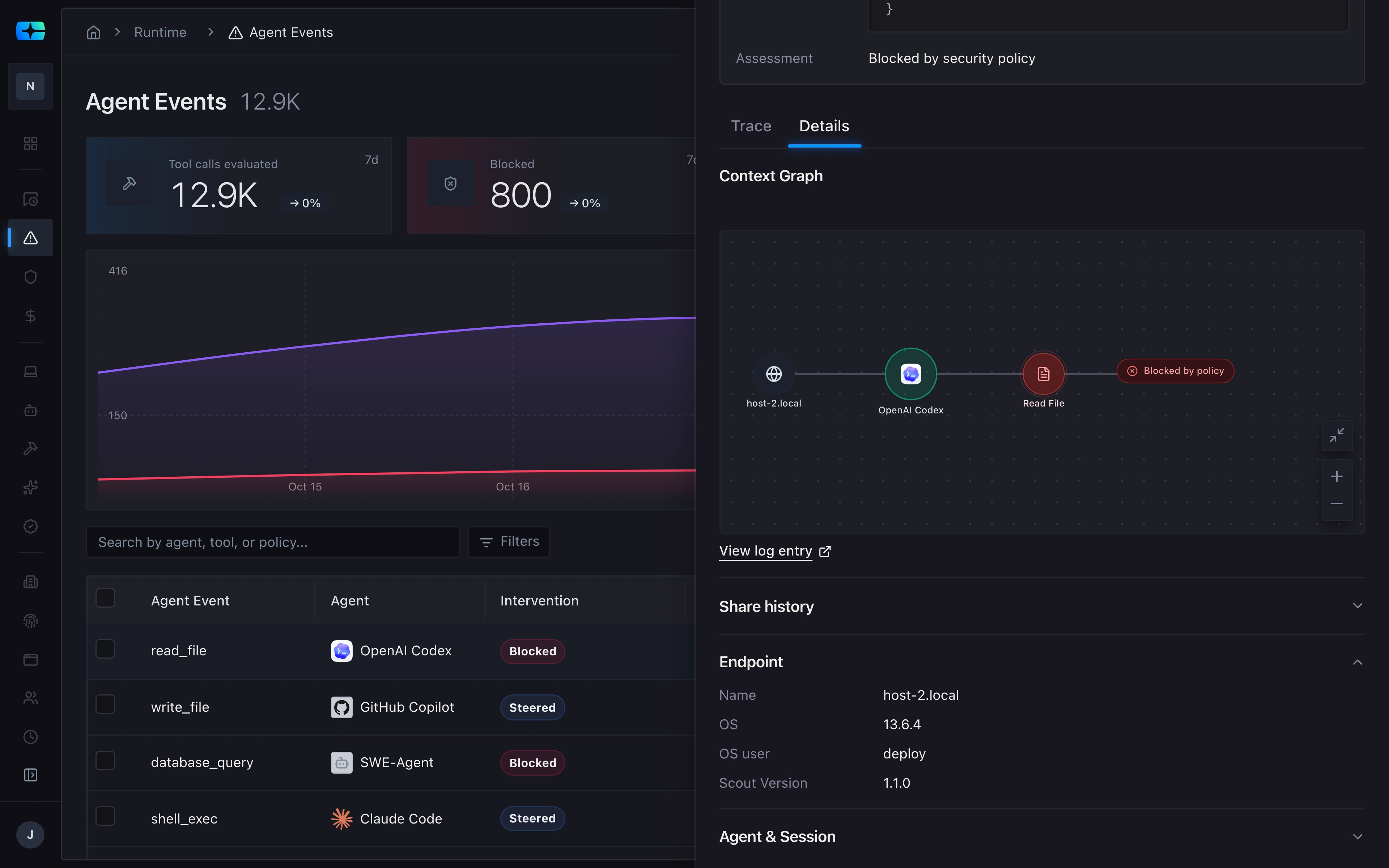
For one action, the console shows what the agent tried, what policy decided, the path it took, and the endpoint it ran on.
What it tried.
A read_file call with the target /var/data/file-1.json, blocked by security policy.
A read_file call with the target /var/data/file-1.json.
What policy decided, and why.
The trace of each policy in its path: one blocked it, one was not reached, and one allowed it.
Each policy in its path: Block Secrets in Code, Restrict Network Egress, and Restrict PII Access.
The path it took.
From host-2.local through OpenAI Codex to Read File, where policy blocked it.
Where it ran.
The endpoint host-2.local: OS 13.6.4, OS user deploy, Scout version 1.1.0.
Fleet management
Your whole fleet, at a glance.
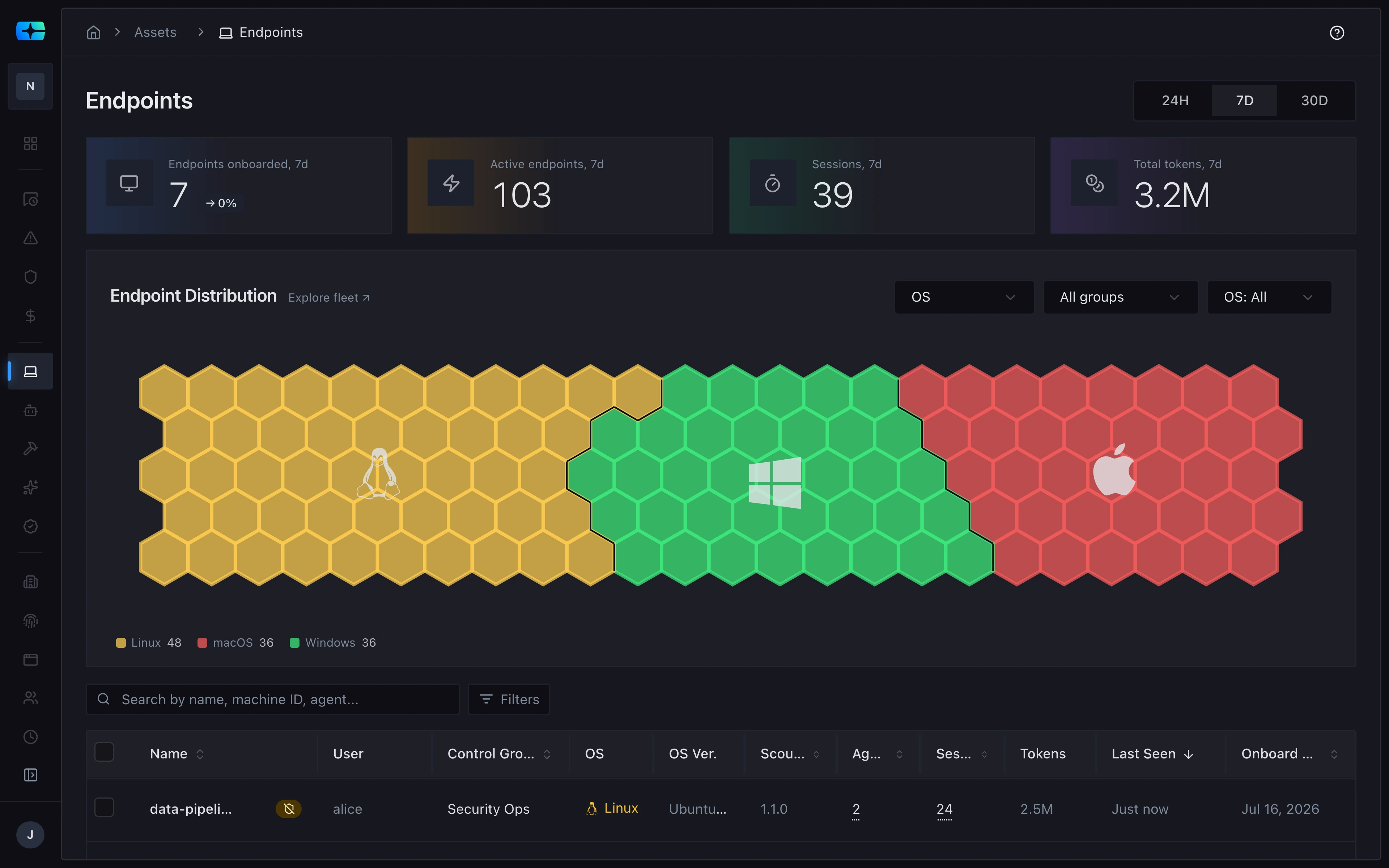
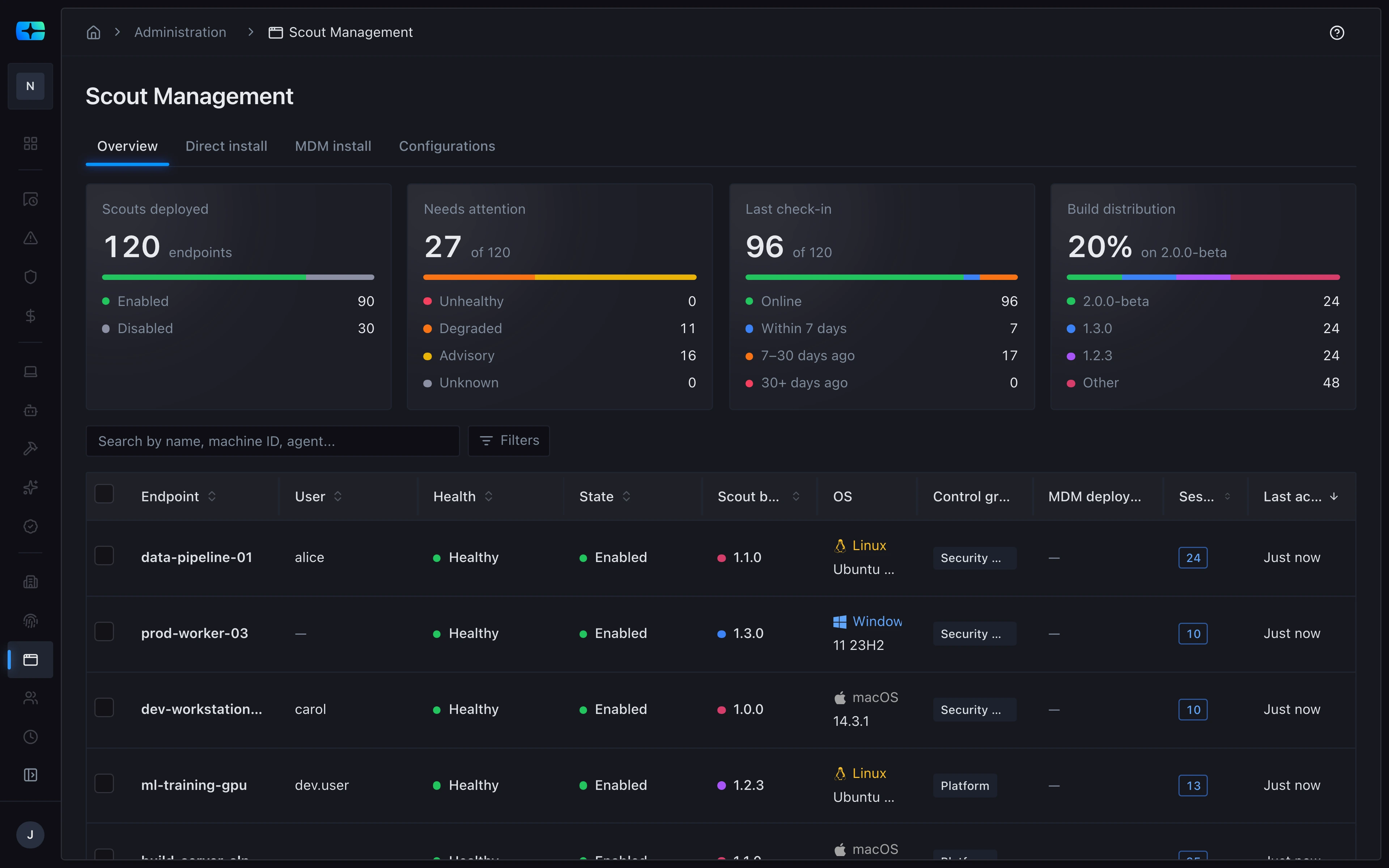
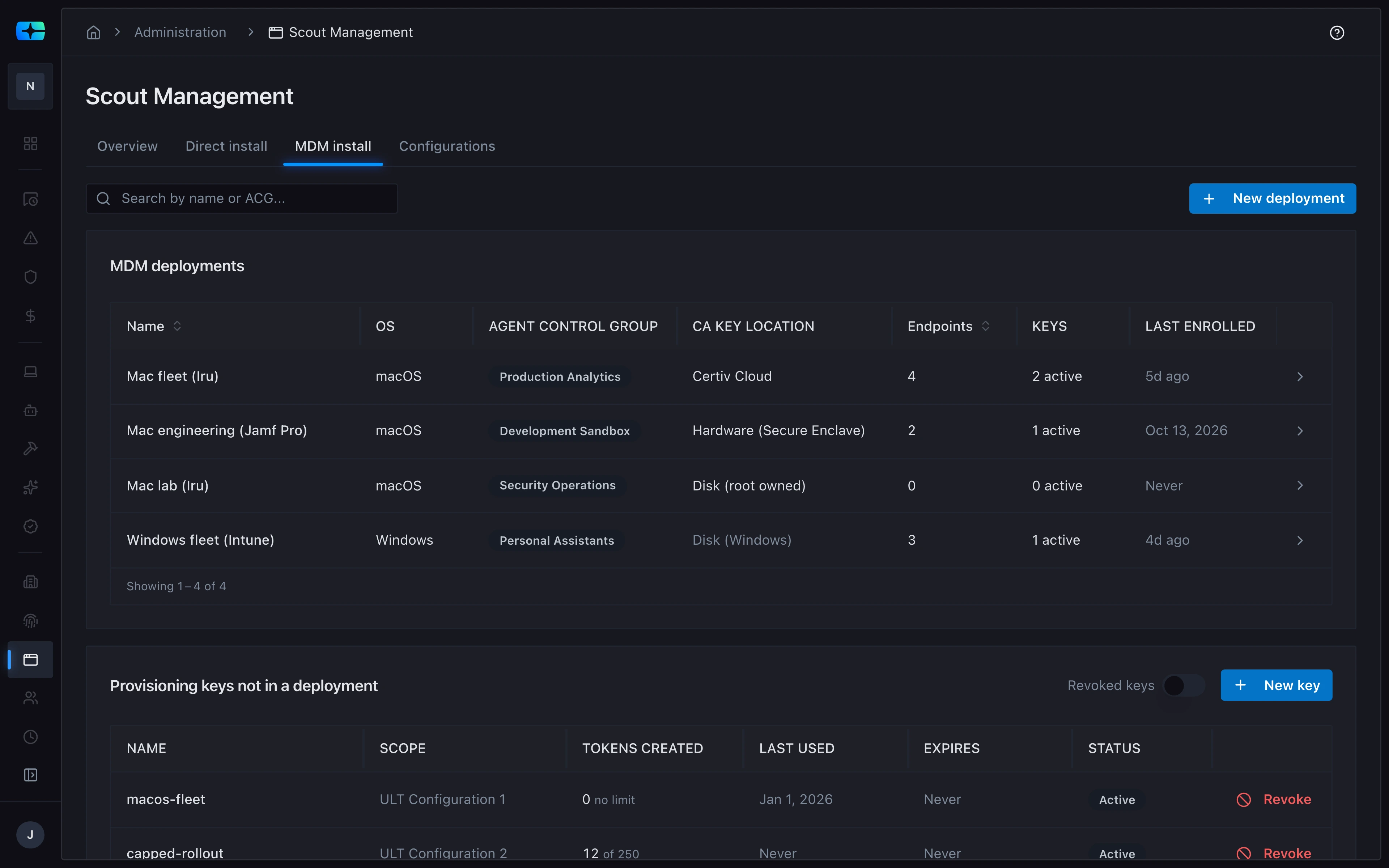
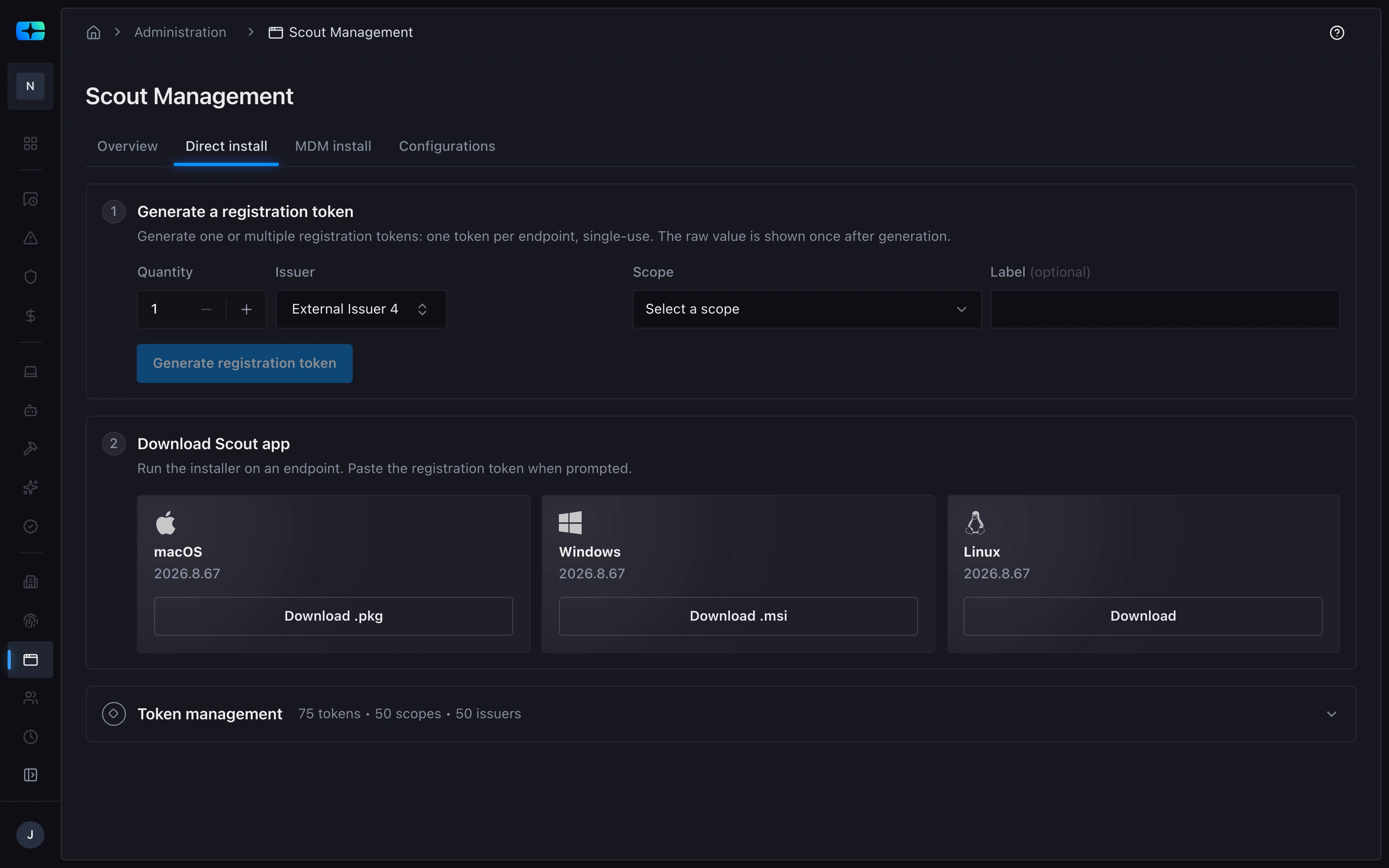
Deploy Scout through your MDM or with individual installs, then see the endpoints it runs on, and their health, in one place.
Every endpoint, by operating system.
The endpoints Scout runs on, mapped by OS (Linux, macOS, and Windows), with a count for each.
The endpoints Scout runs on, mapped by OS.
Every Scout, at a glance.
Scout Management counts Scouts deployed, flags the ones that need attention, and tracks last check-in and build distribution.
Scout Management flags the Scouts that need attention: unhealthy, degraded, advisory, or unknown.
Deploy through your MDM.
MDM deployments for Iru, Jamf Pro, and Intune, each tied to an agent control group.
MDM deployments for Iru, Jamf Pro, and Intune.
Or install it directly.
A single-use registration token per endpoint, and Scout installers for macOS, Windows, and Linux.
A Scout installer for each OS, starting with macOS.